
Finding Accessible Media @George Mason
Learning Outcome
After using this tutorial, you will be able to search for accessible media using the Mason Catalog search.
Video Tutorial
Step-by-Step Guide
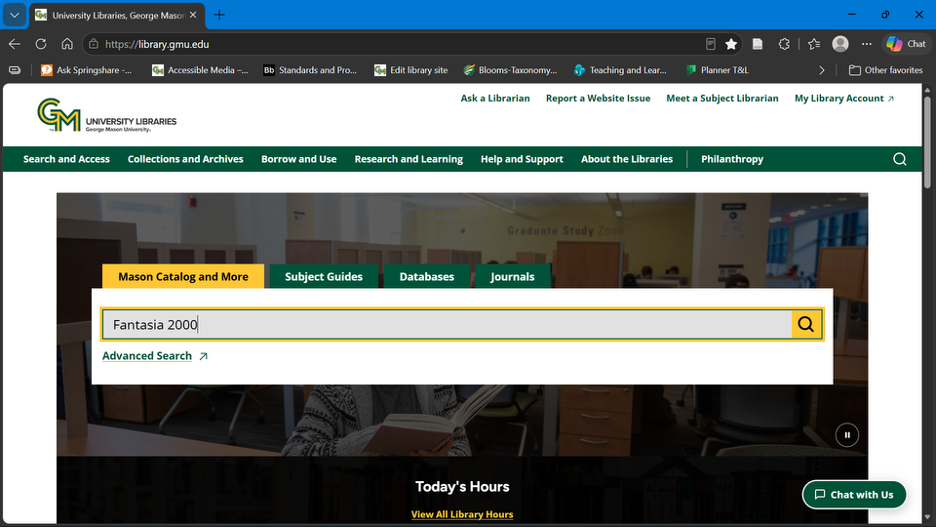
Begin on the library homepage, library.gmu.edu, and type your search terms into the main search box. For this example, we’ll search for the film “Fantasia 2000."
Navigate to the Resource Type category of the Refine Your Results menu on the left-hand side of the page, and select "Videos.”

Open the resource and scroll down to the “Details” section and the “Subject” sub-section.
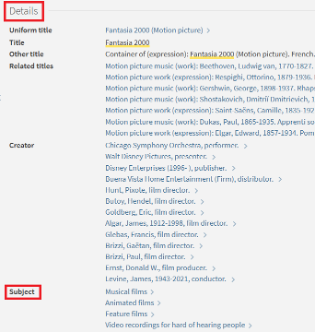
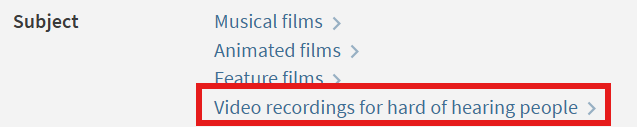
Under "Subject" we can select the link "Videos for hard of hearing people" to view other films with the same tag.
More Resources
To find articles and other resources in your discipline, browse your subject guide. If you have questions or need more help, review our other tutorials on finding library resources or reach out to us through Ask a Librarian.

