
Doing a Simple Mason Catalog Search
Learning Outcomes
After using this tutorial, you will be able to search for an item using the Mason Catalog search and use a library record to find out how to access a book, e-book, or other library material.
Video Tutorial
Step-by-Step Guide
The Mason Catalog allows you to search for everything in the Libraries’ print and media collection and some research database content. The Mason Catalog is a great tool for when you’re just starting the research process or when you know the exact item you want and are looking to see if it is held in the library.
- Before searching, it’s a good idea to sign in. Signing in will get you the access, request, and saved-record options connected to your account. This not only expands accessible content, but it also allows saving sources as you go along. See our tutorial on My Library Account for help signing in.
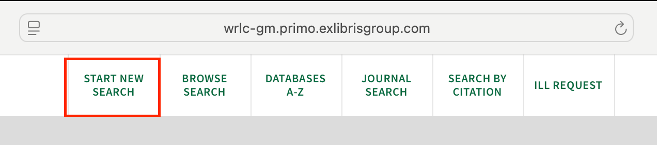
Click the Start New Search button to start a new search.
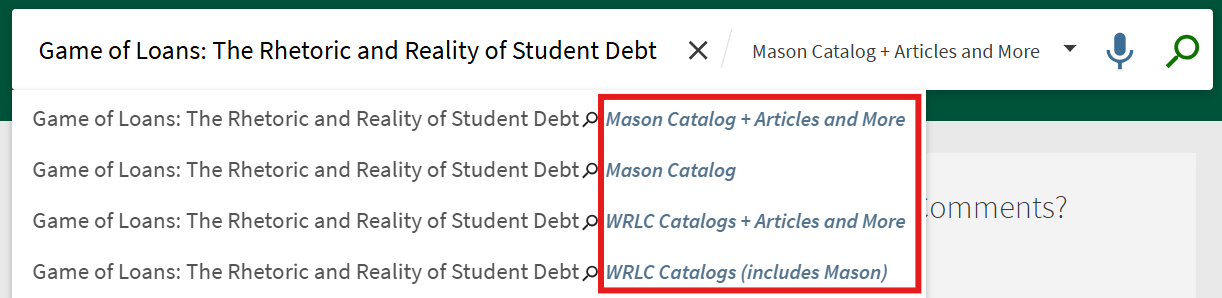
Type your search terms into the search bar. For this example, we'll look up a book called Game of Loans: The Rhetoric and Reality of Student Debt. After typing in keywords or the title of the resource you are searching for, hit the Enter key or click the Search button.

After initiating the search, you are offered the choice of searching the Mason Catalog only or the WRLC Catalog. Selecting WRLC Catalog expands the search to include not only George Mason Libraries, but also our nine partner university libraries in the DC Metro Area. The George Mason Learning Community has borrowing privileges to all the WRLC libraries’ print materials.
- On the results page, identify the resource you want to view and click on it to get the full item record. This gives details of how you can get the item. Items may be available online, physically held at one of our three on-campus physical spaces, or available through a partner WRLC library. See our research tutorials on finding resources and library services or contact us for help accessing items.
More Resources
To find articles and other resources in your discipline, browse your subject guide. If you have questions or need more help, review our other tutorials on finding library resources or reach out to us through Ask a Librarian.

